This example describes how to move a image on web browser using arrow keys.
Up -> Move Forward
Down -> Move Backward
Left -> Rotate Left
Right -> Rotate Right
jQuery and jQuery Rotate libraries are used.
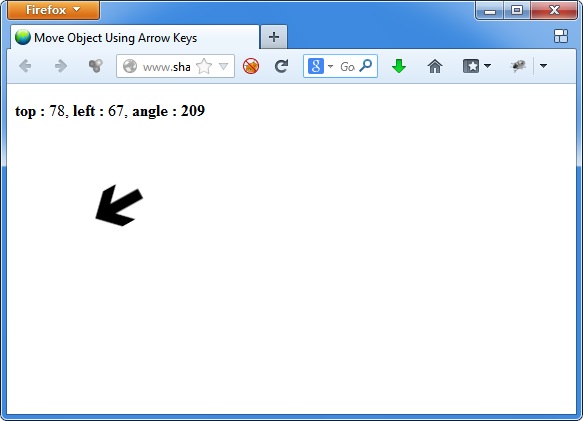
Javascript code is as follows.
var angle=-90;
var maxL = 0;
var maxT = 0;
var move_amt = 5;
function update()
{
	var position = $("#my_image").offset();
	$("#t").text(Math.round(position.top));
	$("#l").text(Math.round(position.left));
	$("#a").text(angle*(-1)%360);
}
function rotate_left()
{
	$("#my_image").rotate(--angle);
	update();
}
function rotate_right()
{
	$("#my_image").rotate(++angle);
    	update();
}
function move_forward()
{
	var position = $("#my_image").offset();
	var new_left=position.left+move_amt*Math.cos(angle*(-1)* Math.PI/180);
	if(new_left < 0)
	{
		new_left=0;
	}
	if(new_left > maxL)
	{
		new_left=maxL;
	}
	var new_top=position.top-move_amt*Math.sin(angle*(-1)* Math.PI/180);
	if(new_top < 0)
	{
		new_top=0;
	}
	if(new_top > maxT)
	{
		new_top=maxT;
	}
	$("#my_image").offset({ left: Math.round(new_left), top: Math.round(new_top)})
	update();
}
function move_backward()
{
	var position = $("#my_image").offset();
	var new_left=position.left-move_amt*Math.cos(angle*(-1)* Math.PI/180);
	if(new_left < 0)
	{
		new_left=0;
	}
	if(new_left > maxL)
	{
		new_left=maxL;
	}
	var new_top=position.top+move_amt*Math.sin(angle*(-1)* Math.PI/180);
	if(new_top < 0)
	{
		new_top=0;
	}
	if(new_top > maxT)
	{
		new_top=maxT;
	}
	$("#my_image").offset({ left: Math.round(new_left), top: Math.round(new_top)})
	update();
}
$(document).ready(function(){
maxL = $('body').width()-64;
maxT = $(window).height()-64;
$("#my_image").offset({ left: Math.round(maxL/2), top: Math.round(maxT/2)})
$("#my_image").rotate(angle);
update();
$("body").keydown(function(e) {
  if(e.which == 37) { // left
    rotate_left();
  }
  else if(e.which == 38) { // up
    move_forward();
  }
  else if(e.which == 39) { // right
    rotate_right();
  }
  else if(e.which == 40) { // right
    move_backward();
  }
});
});
You can try the demo from Here